
Computing Forest Disturbance - Radar
To compute forest distubance, the user is required to select the forest disturbance Product from the drop downlist as shown below.
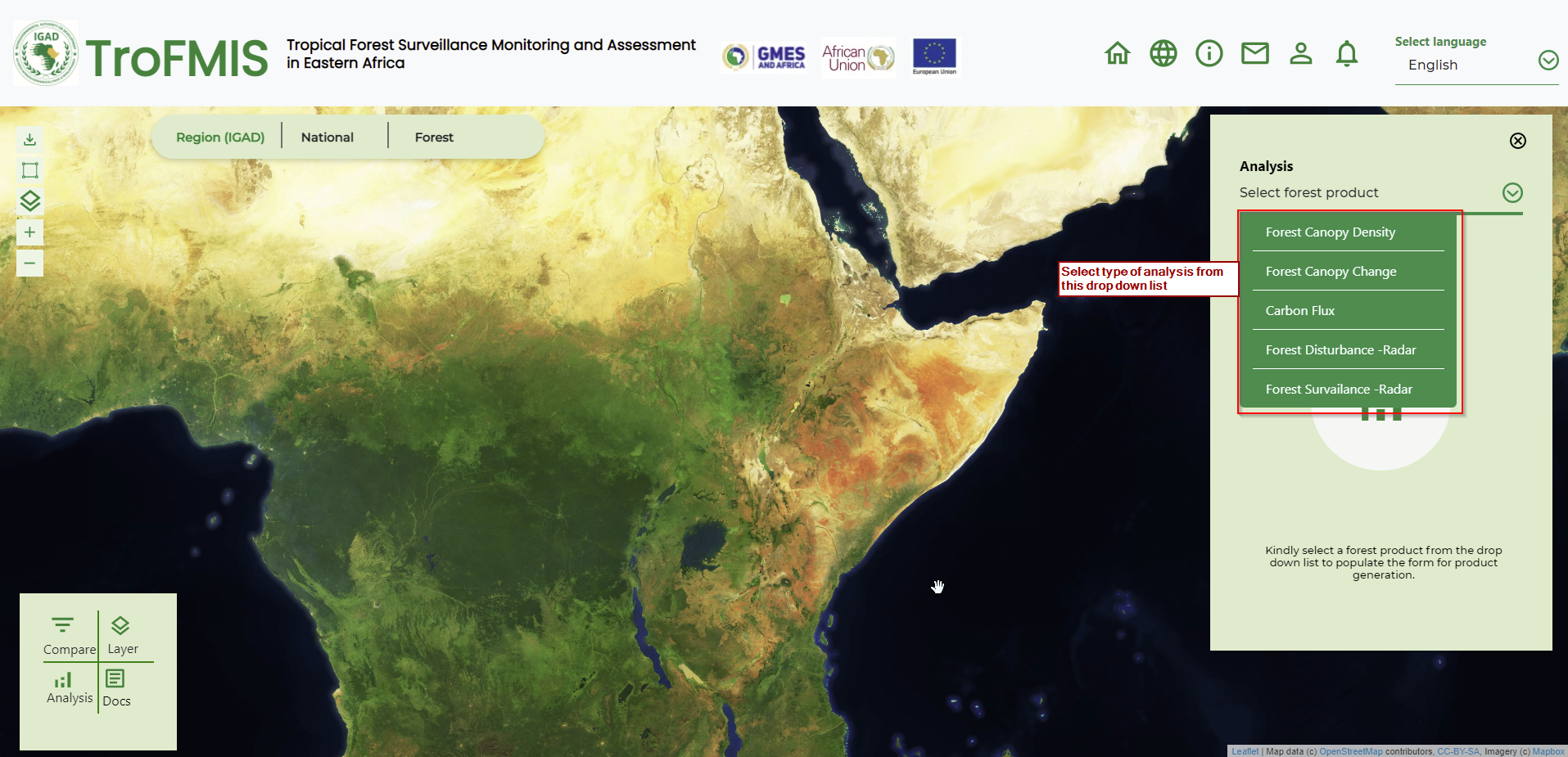
Fig. 21 Forest product selection
The user, after selecting the forest product, should go ahead and populate the form with attributes including Country, Forest of Interest, Baseline period and analysis period, as well as the data platform. The selected period should be atleast a fortnight (two weeks), this is to enable for accurate product computation and image acquisition covering the entire forest of interest.
The image below summarises the steps.
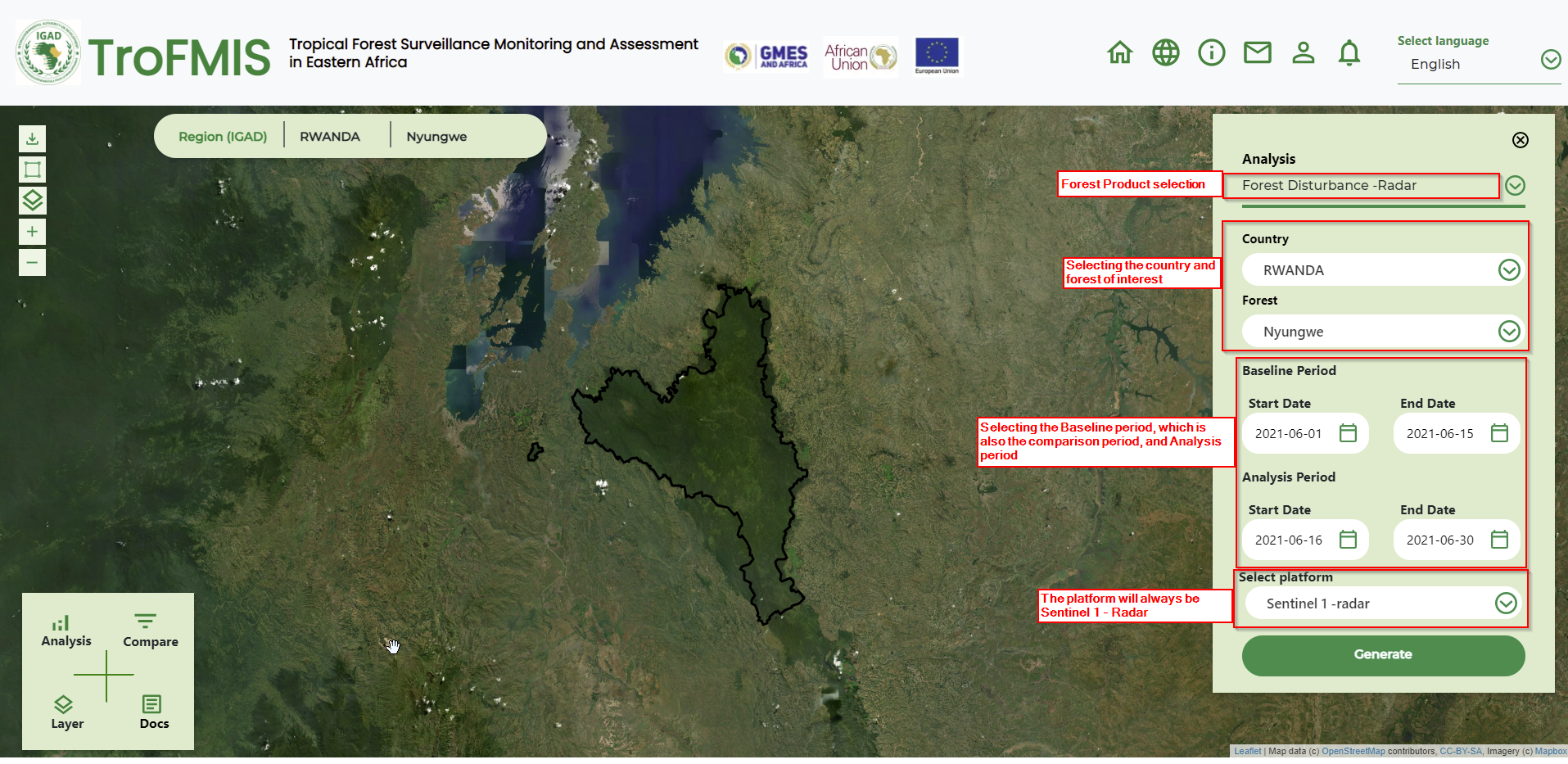
The Baseline period acquires all images within that period, averages them to genearate a single image. The single image from baseline, is then comprared and differenced from the image in the Analysis period. The change in the two images, are then used to generate the ninety-five percent confidence disturbance in the specific forest.
Compute Forest Surveilance
To perform forest serveilance services, a user may access the service from different areas of the system. But generally, a user can select from the drop down list as shown below.
Fig. 22 Forest Surveilance Product Selection
A user can also access the product from clicking on the add to watch list button that exist after generation of the statistics of different forest products.
After accessing the forest surveilance product, a user is required to fill the forest surveilance form and define their specified attributes.
Forest surveilance takes in:
Country
Forest of interest
Duration of monitoring
Platform, which is Sentinel 1 Radar
The figure below shows the form to be filled.
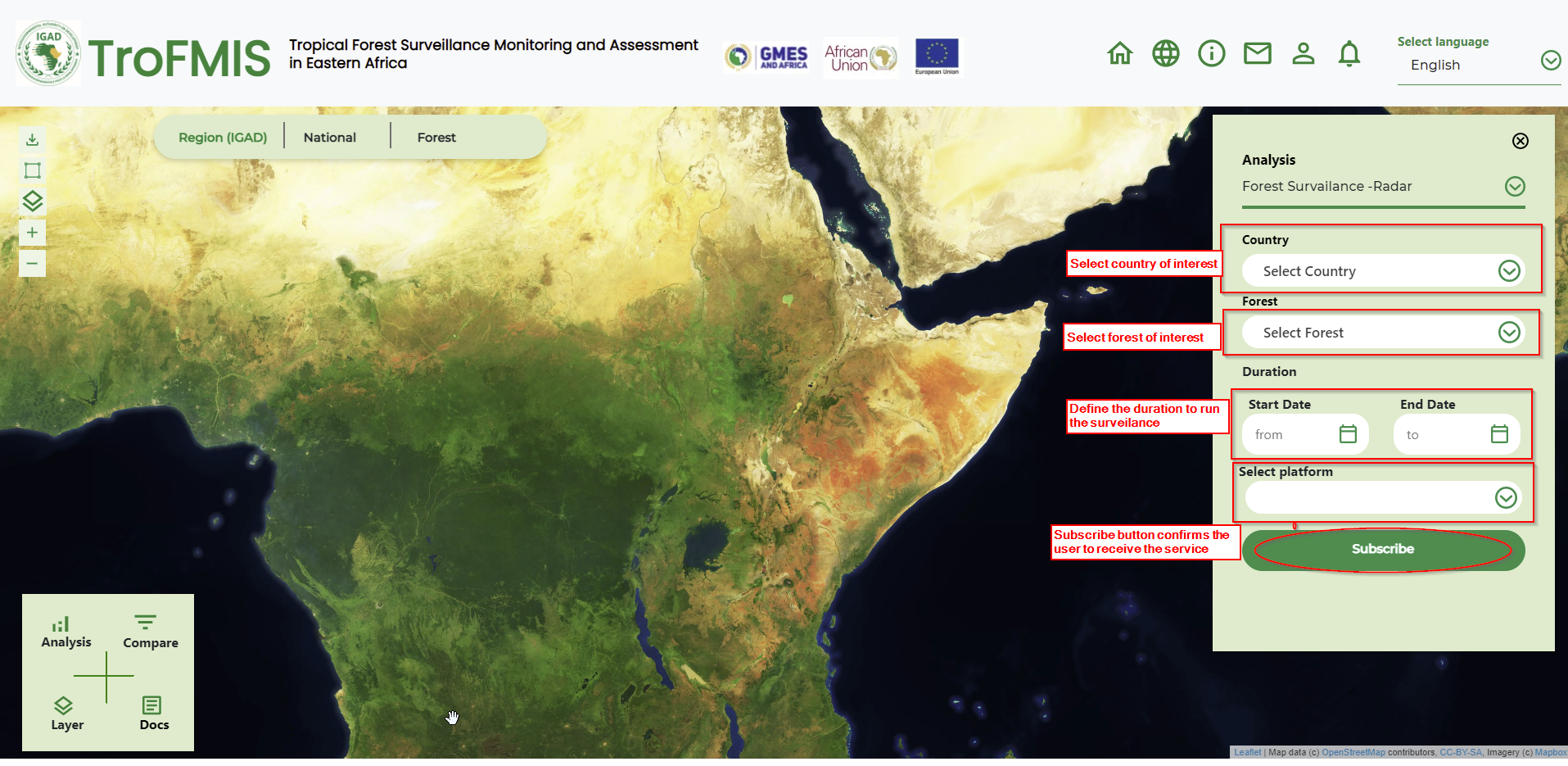
Fig. 23 Forest Surveilance form
When a user clicks subscribe, they will be receiving periodical analytics in their emails, highlighting areas of canopy disturbance. The notifications, however, require field verification, especially where the end users feel the condition on the ground could be different.